


Leading brands that work with us









PAGE STRUCTURE
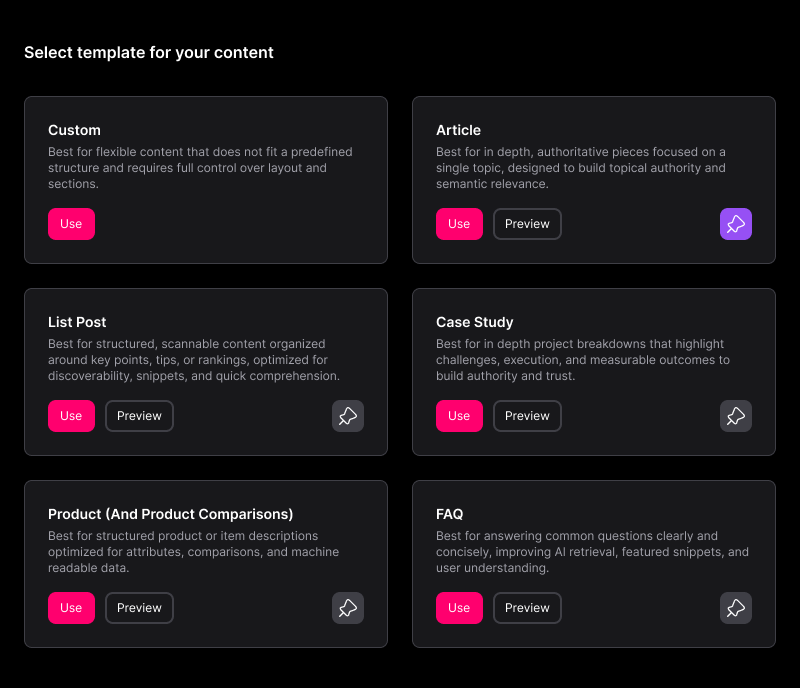
Start with the right template. Publish with the right structure.

SUBJCT gives you pre-built templates - Article, List Post, FAQ, Case Study, Product, Custom - each scaffolded with the block hierarchy AI engines read most reliably: headings, paragraphs, TL;DR, tables, FAQs
Pick a template, write your content, add or remove blocks as needed. The structural signals that support citability are built in before you publish
PROMPT ANALYSIS
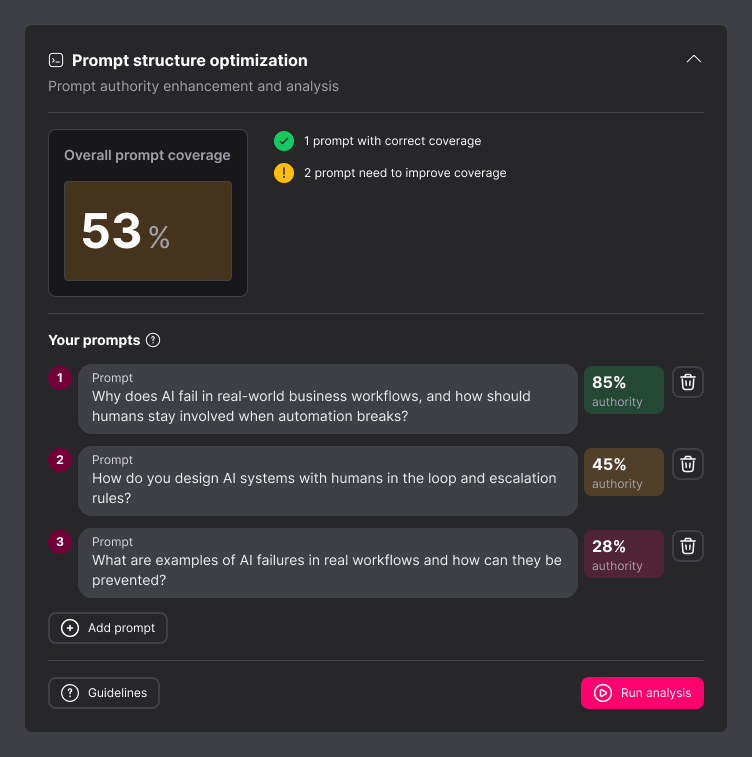
Score your content against what buyers are actually asking.
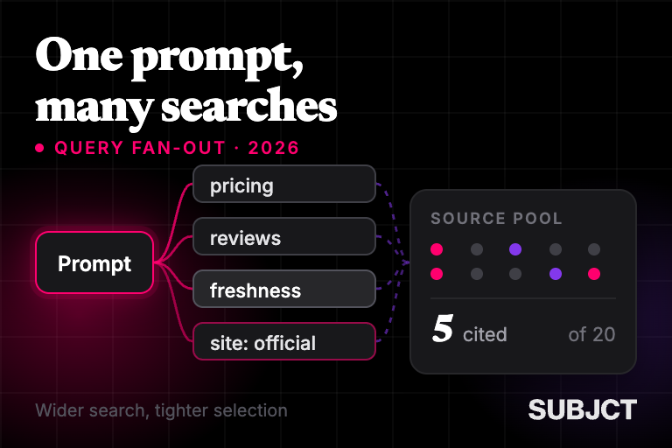
Prompt optimisation: Enter a prompt and SUBJCT fans it out into nine related query variations. Run the analysis against your content blocks and get a cosine similarity score for each - edit, re-run, save
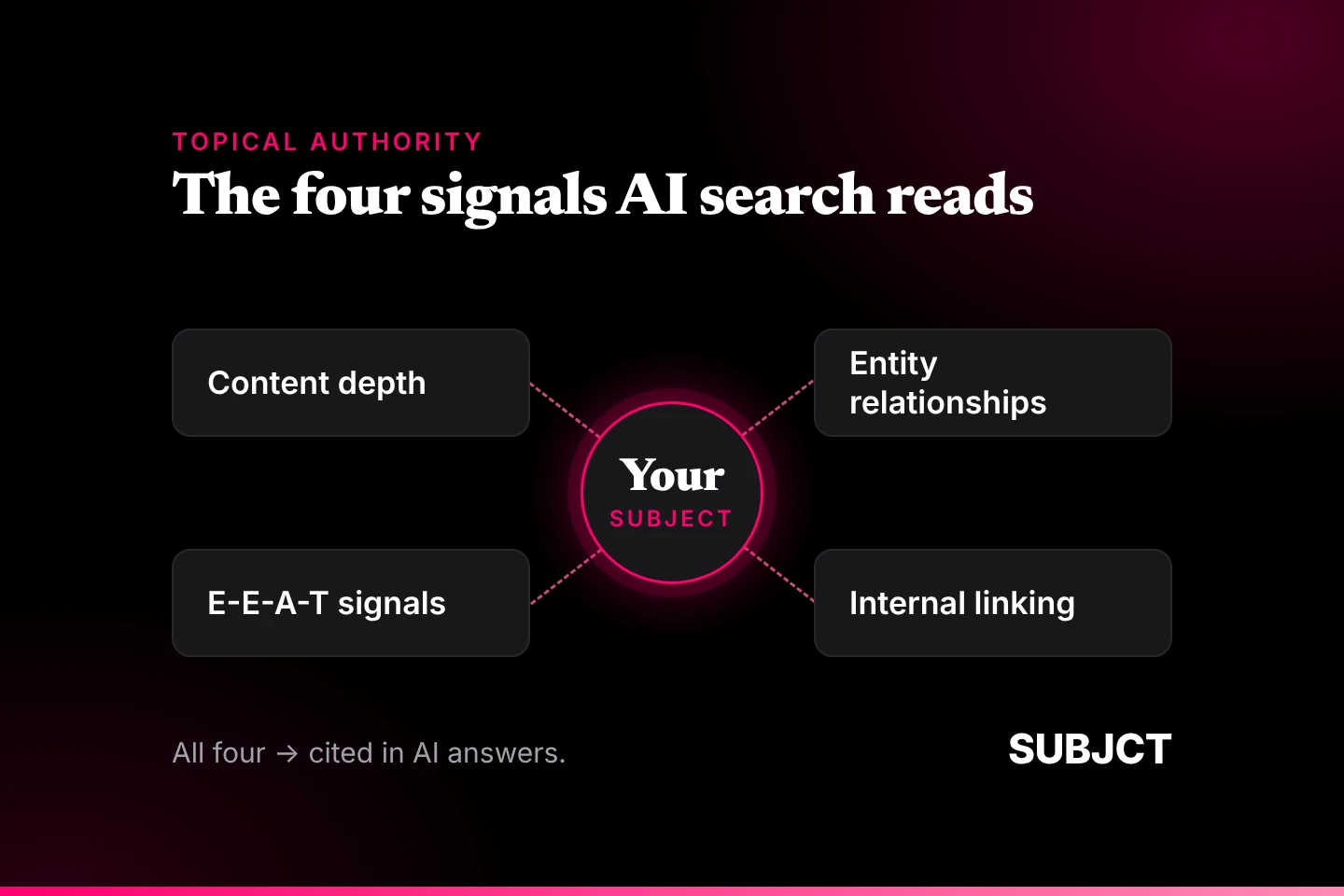
Entity optimisation: SUBJCT surfaces the top entities in your article and suggests related ones you haven't covered. Add them to deepen topical authority and signal credibility to AI engines assessing your brand
INTERNAL LINKING
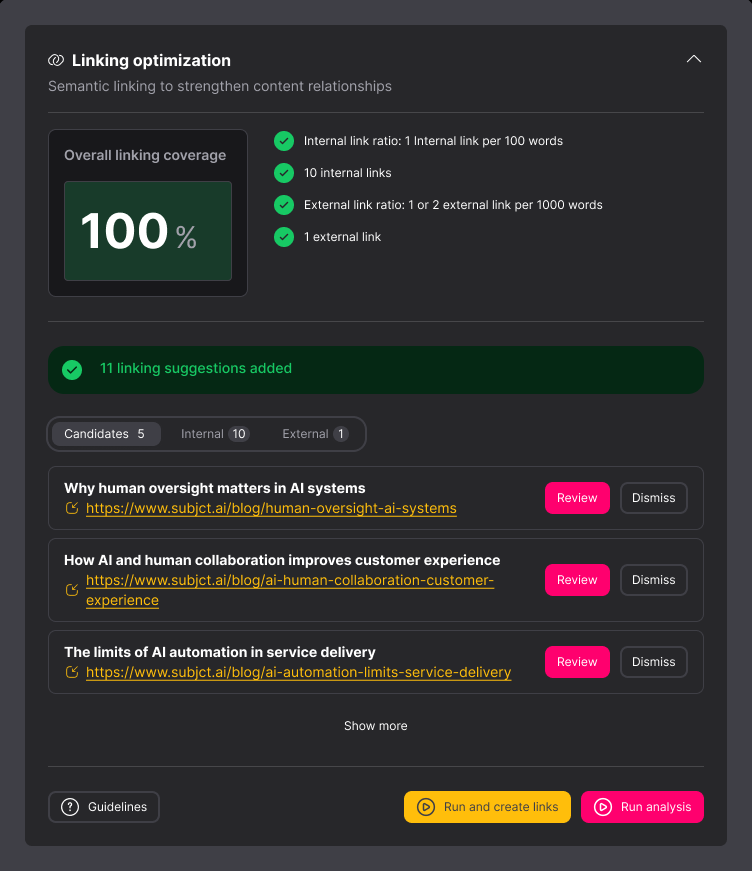
Links implemented across your archive. Not suggested - created.
SUBJCT chunks your content, embeds it, and finds the closest semantic matches in your archive using cosine similarity. It creates the anchor text and implements the link, directly in the content, not in a list for someone to action later
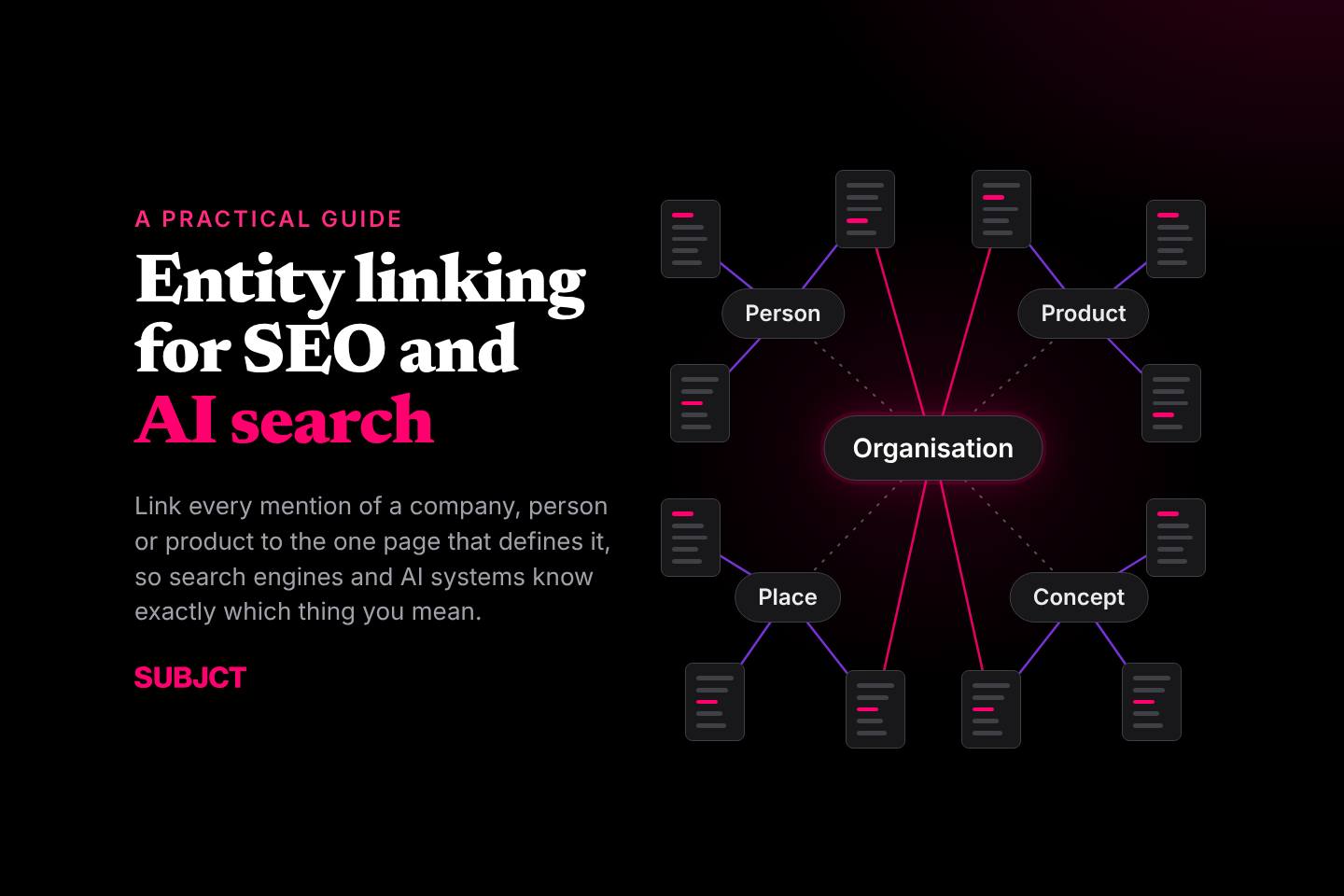
Two modes run in parallel: article-to-article linking builds semantic topic clusters across your archive; entity linking connects the first mention of a named entity to its relevant topic page
SCHEMA JSON-LD
Machine-readable data, generated for every page.
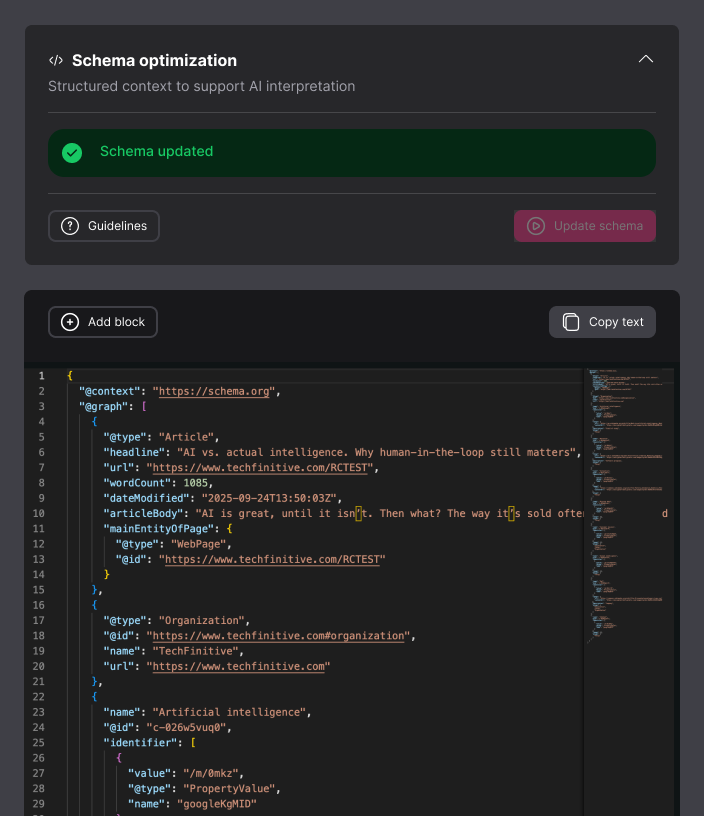
SUBJCT generates entity-aware JSON-LD schema based on your template type - Article, FAQ, WebPage, HowTo, Product - assigned contextually, not applied as a blanket default
The schema embeds the main entities from your article and links each to the Google Knowledge Graph, giving AI indexing systems an unambiguous entity profile for the content
Validate in-app with one click. SUBJCT opens the schema.org validator - paste the snippet, confirm it's clean, publish
Value Pillars
SUBJCT is the automated content optimisation platform for brand discovery in AI search.

Efficiencies
Other tools in this category identifies opportunities. SUBJCT acts on them. Links created, schema JSON-LD generated, entities tagged across your entire archive.

Integrations
API-first, with a Web App for configuration, a WordPress plugin for direct CMS integration, and an MCP server connecting SUBJCT to any MCP-compatible agent.

Custom Solutions
For publishers and brands managing bespoke integrations, large archives running into the hundreds of thousands of pages, or a migration that needs custom optimisation before go-live.
Frequently asked questions
What does the SUBJCT Editor do?


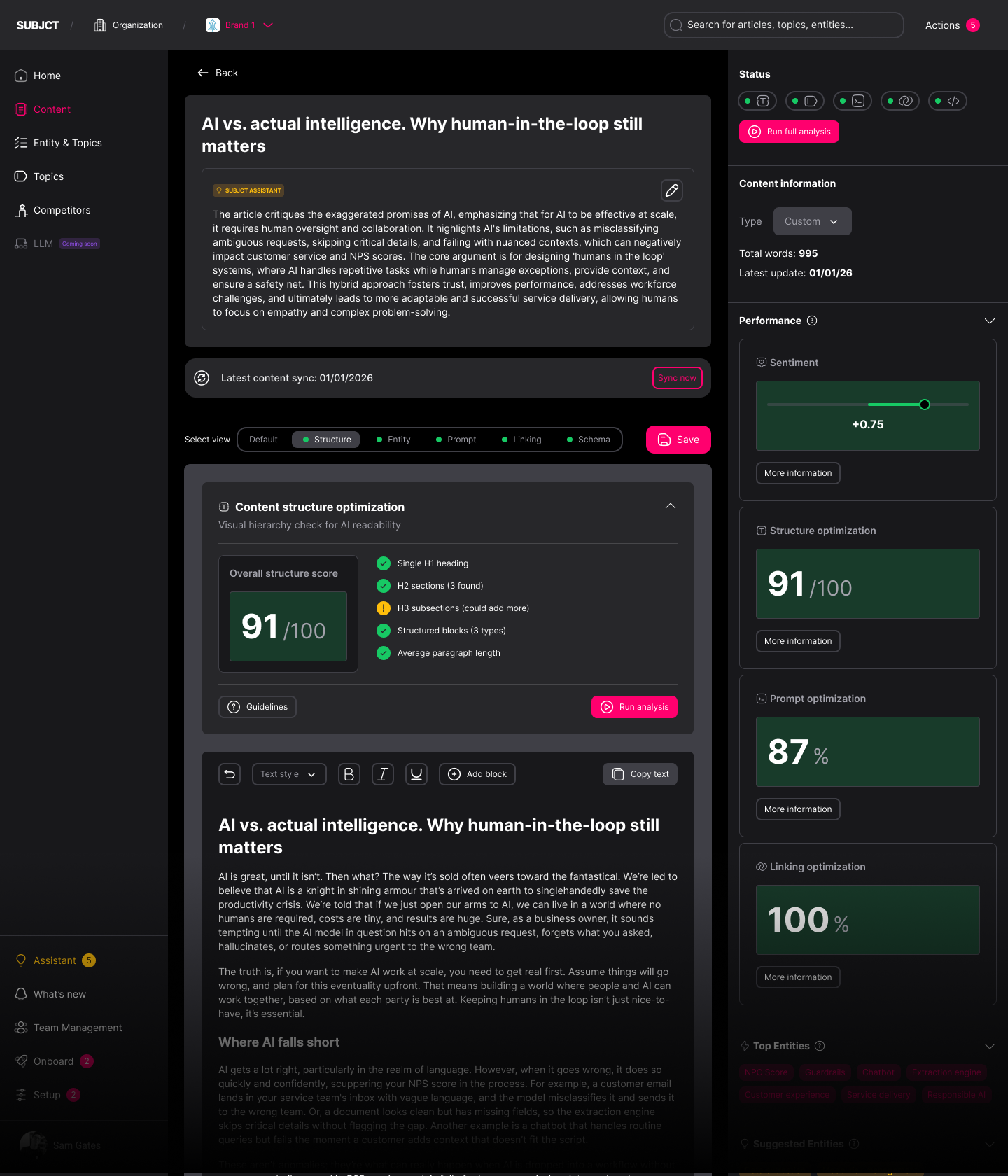
The SUBJCT Editor is a content workspace that optimises every article for AI search as you write or edit. It combines page structure templates, prompt optimisation, entity tagging, automated internal linking, and JSON-LD schema generation in a single interface so content is structured, tagged, linked, and machine-readable before it's published.
Who is the SUBJCT Editor built for?
The editor is built for content marketers and technical SEOs who need to produce AI-search-ready content without handling each optimisation task manually. It's used by in-house content teams, content engineers, and SEO specialists transitioning from traditional search to AI search.
How does prompt optimisation work in SUBJCT?
Enter a prompt into the editor and SUBJCT fans it out into nine related query variations. Apply those prompts to individual content blocks - headings and paragraphs - and SUBJCT returns a cosine similarity score showing how well each block aligns with that query. A score above 60 is a pass; above 80 is strong. Edit the block, re-run the analysis, and save. Your overall prompt optimisation score updates across every prompt tested.
What is entity optimisation and why does it matter for AI search?
Entity optimisation is the process of identifying and strengthening the named entities - organisations, people, products, places, events - present in a piece of content. AI search engines assess topical authority partly by the depth and consistency of entity coverage across a site. SUBJCT surfaces the top entities in your article and suggests related ones you haven't yet covered, so you can add them to improve the content's credibility signal to AI engines.
How does SUBJCT's automated internal linking work?
SUBJCT chunks your content into contextual segments, creates a vector embedding for each chunk, and finds the closest semantic matches in your ingested archive. It then generates anchor text and implements the link directly in the article. Article-to-article linking builds topic clusters across the archive; entity linking connects the first appearance of a named entity to its relevant topic or tag page. All links are editable in the editor, and candidate links (matches found but not automatically applied) are available for manual review.
What kind of schema does SUBJCT generate?
SUBJCT generates entity-aware JSON-LD structured data for each page, with the schema type assigned contextually based on your content template: Article, FAQ, WebPage, HowTo, or Product. The schema embeds the top six to eight entities identified in the article and links each to the Google Knowledge Graph, providing AI indexing systems with an unambiguous, machine-readable entity profile for the content.
Can I validate the schema SUBJCT generates?
Yes. The editor includes a one-click validation step that opens the schema.org validator. Copy the generated JSON-LD snippet, paste it into the validator, and confirm the output is clean before publishing. The same snippet can be run through Google's Rich Results Test to check eligibility for rich results.
Does SUBJCT require my content archive to be ingested before I can use the editor?
The page structure templates, prompt optimisation, entity tagging, and schema generation features work from the moment you open the editor. Automated internal linking requires your archive to be ingested first, SUBJCT needs the existing content to find semantic matches and implement links. Archive ingestion is handled through the Configuration settings or via the API.
Does SUBJCT work with WordPress?
Yes. SUBJCT has a WordPress plugin that brings automated linking and schema generation directly into the CMS. The full editor and entity analysis features are available via the SUBJCT web application. For headless CMS architectures, SUBJCT is API-first and integrates into any content stack.
Does SUBJCT generate content?
No. SUBJCT optimises the structure, machine readable data, and linking of content you've already written, the signals that determine whether that content is readable and citable by AI search engines. The editorial content itself remains unchanged. SUBJCT is built around human-in-the-loop content: it makes human-authored content perform better, not replace it.

Still have questions?
Can’t find the answer you’re looking for? Please chat to our friendly team.
Get in touch
SUBJCT
Get in touch
Latest posts
Resources and insights for AI search
The latest industry news, interviews, technologies, and resources.

View all posts