


Leading brands that work with us









ARTICLE TO ARTICLE LINKING
From Archive to Topic Cluster, Automatically.

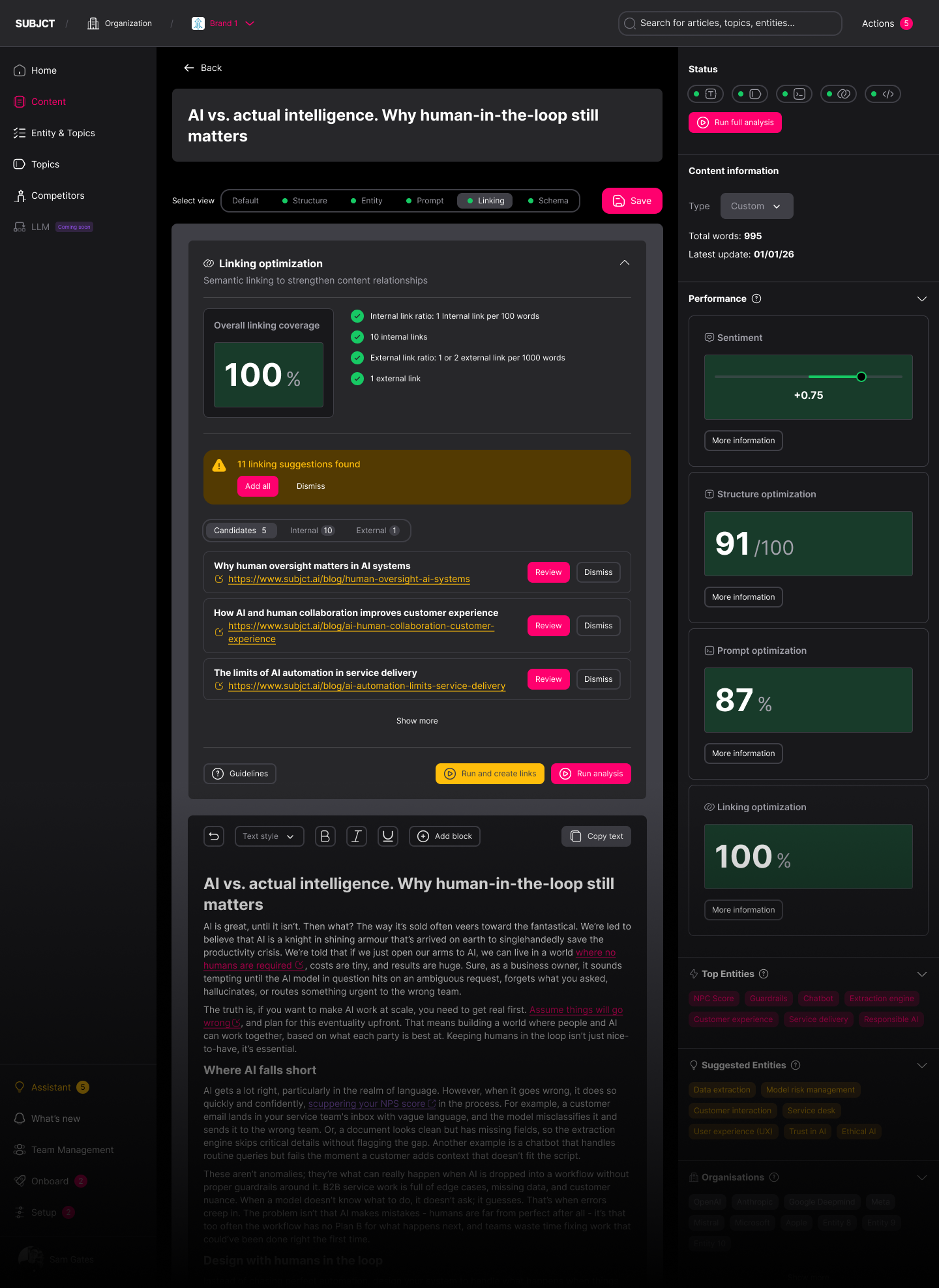
Contextual chunks matched to their closest semantic relevance across the archive
Anchor text generated and links applied automatically, no manual insertion
Semantic topic clusters built across your content
CONTROL
Review Internal Linking Suggestions. Insert What You Want.
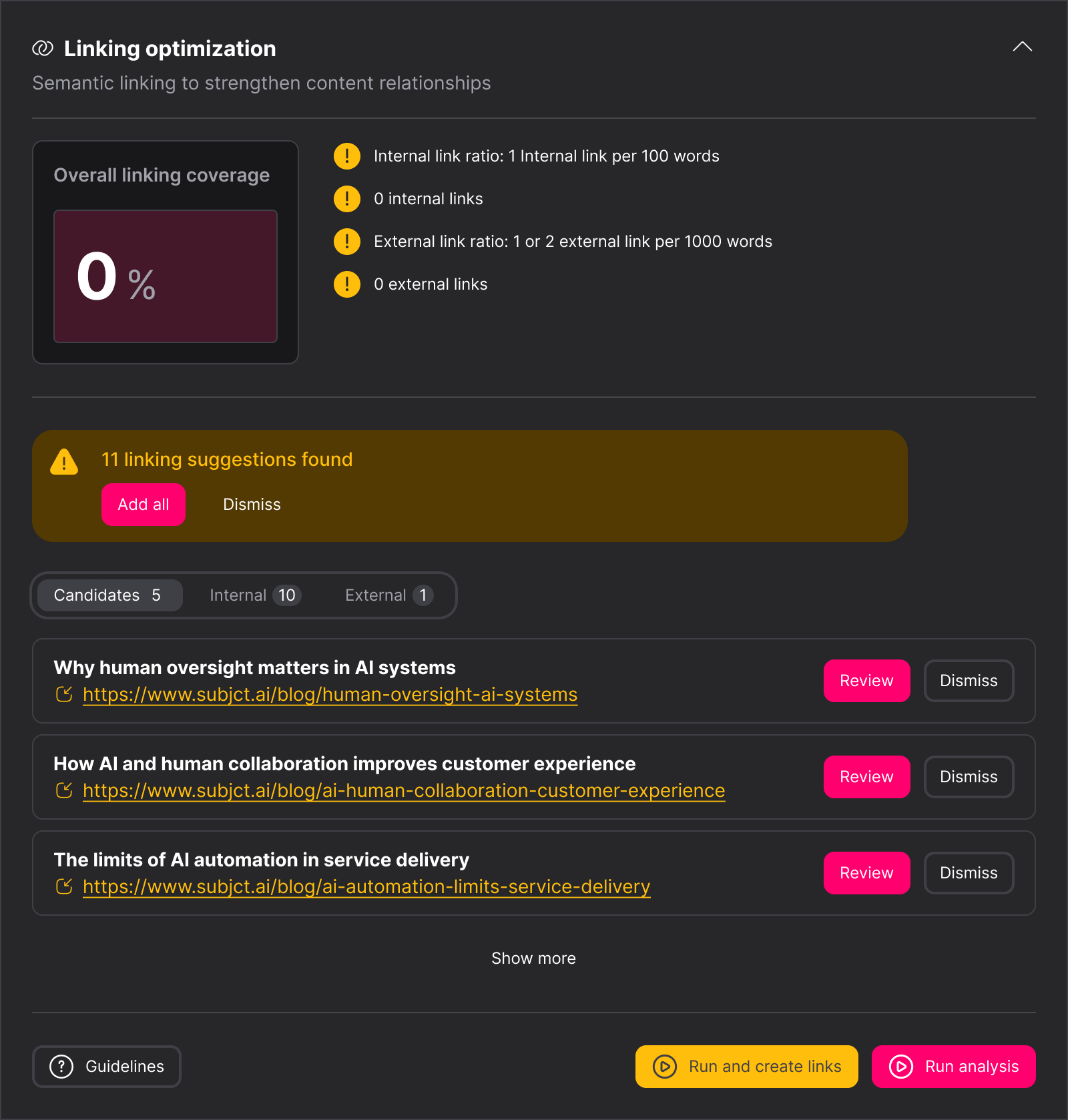
Candidate links reviewed and inserted with one click each
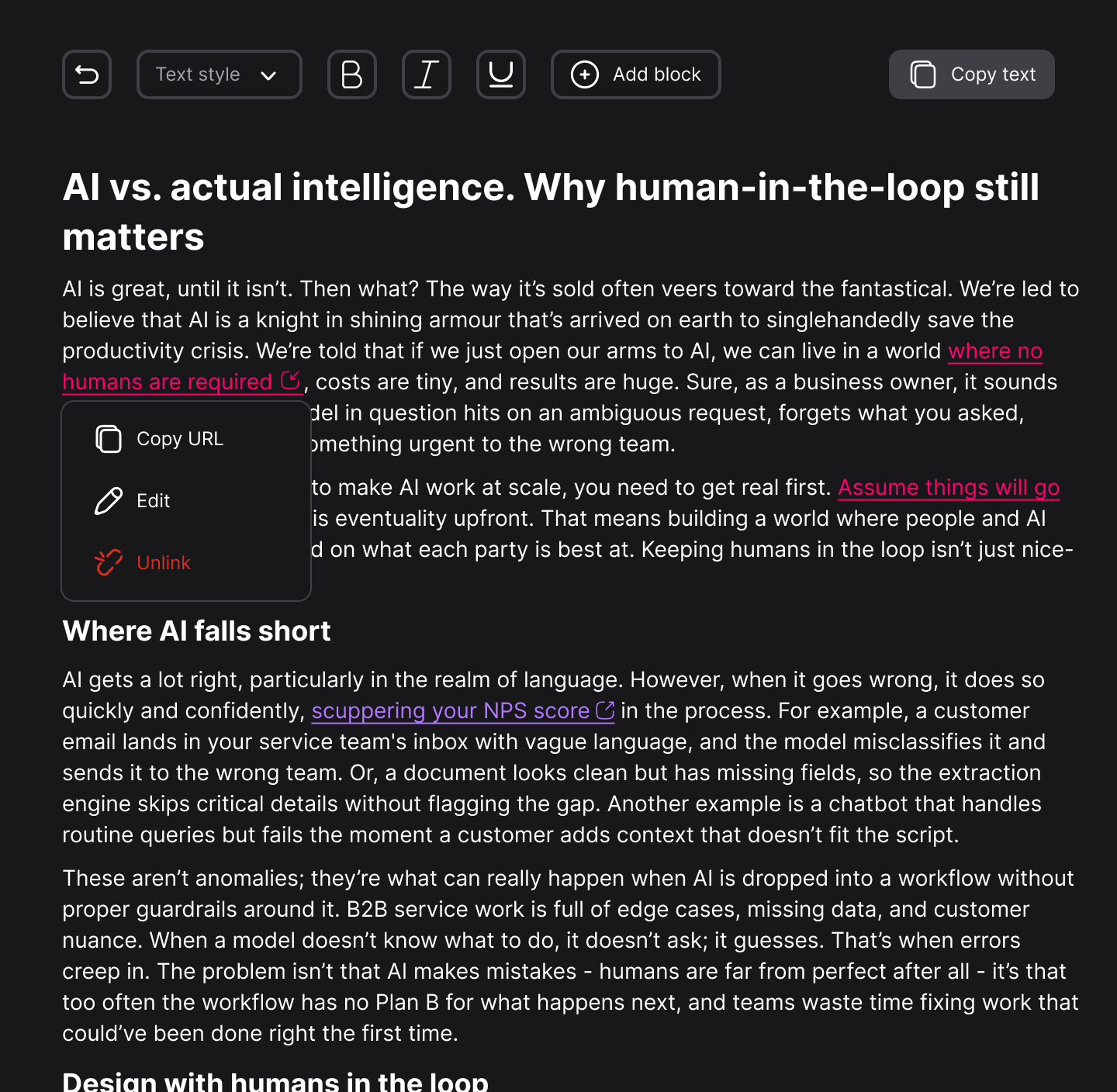
Every applied link is editable - change the URL, update anchor text, or unlink
Full control over what goes live, without losing the automation
TOPIC PAGE LINKING
Every Entity. Linked to the Right Page. First Time, Every Time.
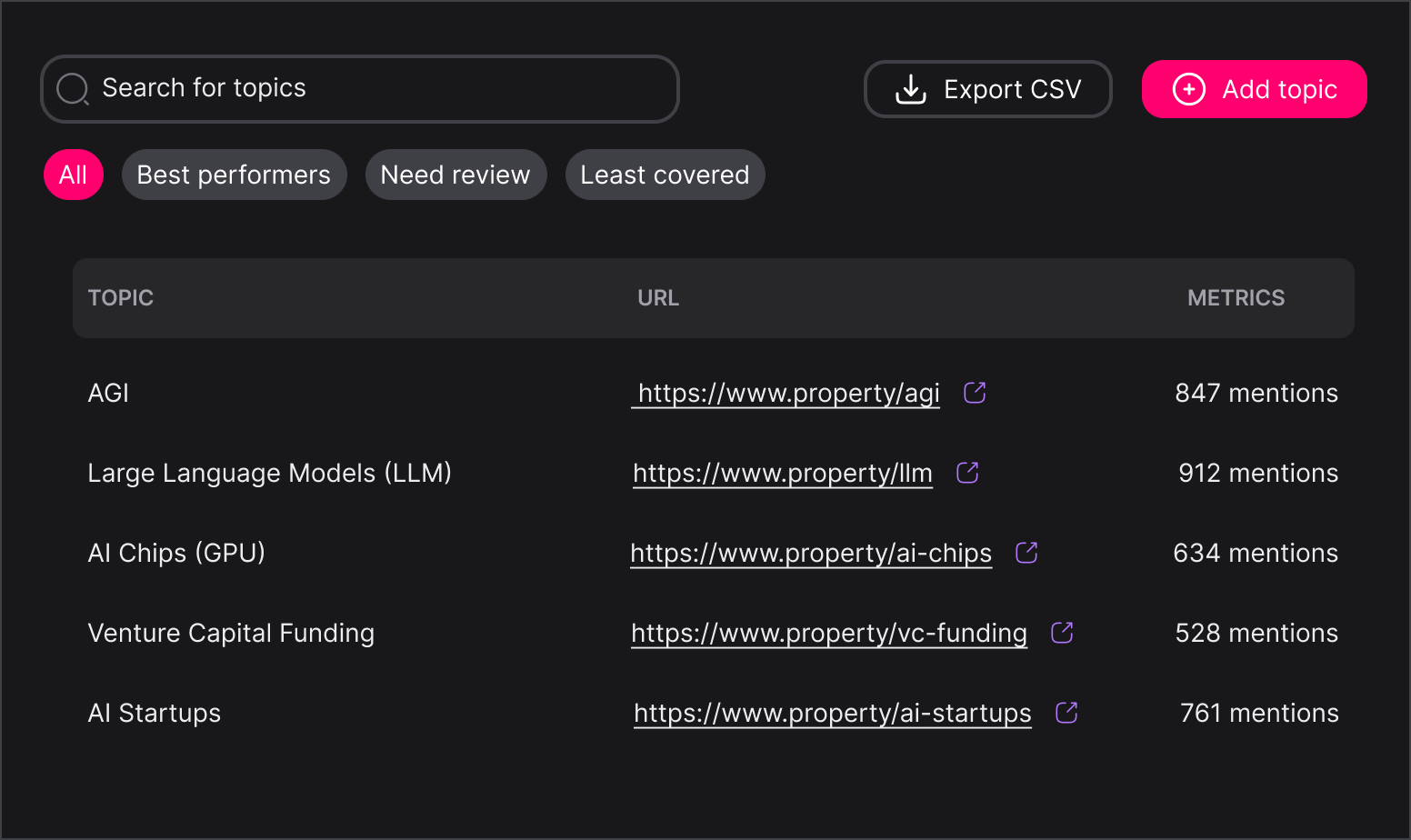
Set up topic pages and ingest your URL structure
First appearance of each entity linked, consistently, in every article to their topic or tag page
No repeated linking, no missed entities, no manual overhead
Value Pillars
SUBJCT is the automated content optimisation platform for brand discovery in AI search.

Efficiencies
Other tools in this category identifies opportunities. SUBJCT acts on them. Links created, schema JSON-LD generated, entities tagged across your entire archive.

Integrations
API-first, with a Web App for configuration, a WordPress plugin for direct CMS integration, and an MCP server connecting SUBJCT to any MCP-compatible agent.

Custom Solutions
For publishers and brands managing bespoke integrations, large archives running into the hundreds of thousands of pages, or a migration that needs custom optimisation before go-live.
Frequently asked questions
What is automated internal linking?


Automated internal linking is the process of identifying and implementing contextually relevant links between pages on a website without manual effort. SUBJCT analyses your content archive, finds semantically related articles using vector embeddings and cosine similarity, and applies the anchor text and link directly. This builds a coherent internal link structure that signals topical authority to both traditional search engines and AI search platforms.
How does SUBJCT's internal linking actually work?
SUBJCT ‘chunks’ each article into contextual passages, creates a vector embedding for each chunk, and compares it against the rest of your archive to find the closest semantic match. Anchor text is generated automatically and the link is applied in the content, not listed as a suggestion for manual action. This runs in two ways: article-to-article linking, which builds semantic topic clusters, and entity linking, which connects named entities to their relevant topic pages.
Does SUBJCT suggest links or actually create them?
SUBJCT can implement links directly in your content, it doesn't just suggest them. Where a match is strong, the anchor text and link are applied automatically. Where a match is relevant but not automatically actioned, it appears as a candidate link for one-click review and insertion. Either way, no manual link-building is required, however it is customisable if you would like more control.
Can I edit or remove a link SUBJCT creates?
Yes. Every automated link is fully editable inside the editor. Click any link to update the URL, change the anchor text, or remove it entirely. Automation handles the discovery and implementation; you retain full control over what stays live.
What is a candidate link?
A candidate link is a relevant connection SUBJCT has identified but held back from automatic insertion. Candidate links appear separately in the editor for review. Press review, check the match, and insert it if you want the link live.
How does entity linking work?
SUBJCT automatically links named entities — organisations, people, products, places — to their corresponding topic or tag page the first time they appear in an article. For example, if you have a topic page for IBM, SUBJCT links the first mention of IBM in the text. Each entity is linked once per article, not repeatedly, to avoid over-linking.
What do I need to set up before entity linking works?
You need topic or tag pages configured for the entities you want linked, and your URL structure ingested into SUBJCT. Topic pages can be added individually or via CSV upload in configuration. Once set up, SUBJCT links matching entities automatically as they appear across your archive.
Do I need my full content archive ingested for this to work?
Automated internal linking requires your existing articles to be ingested into SUBJCT so the platform has an archive to match new and existing content against. The larger and more complete the ingested archive, the stronger the semantic matches SUBJCT can find. The actual volume can be customized.
Why does internal linking matter for AI search?
AI search engines use internal link structure as a signal of topical authority and content relationships when deciding what to cite. A well-linked archive, where related content is genuinely connected by topic and entities, is more likely to be read as an authoritative source than a site with sparse or broken internal links.

Still have questions?
Can’t find the answer you’re looking for? Please chat to our friendly team.
Get in touch
SUBJCT
Get in touch
Latest posts
Resources and insights for AI search
The latest industry news, interviews, technologies, and resources.

View all posts